wss://relay.opensave.org
How & why →
Your saves, synced between your own devices, peer‑to‑peer. Emulators, GOG, Epic, repacks, mods — everything Steam Cloud leaves out.
No accounts. No subscriptions. No telemetry.
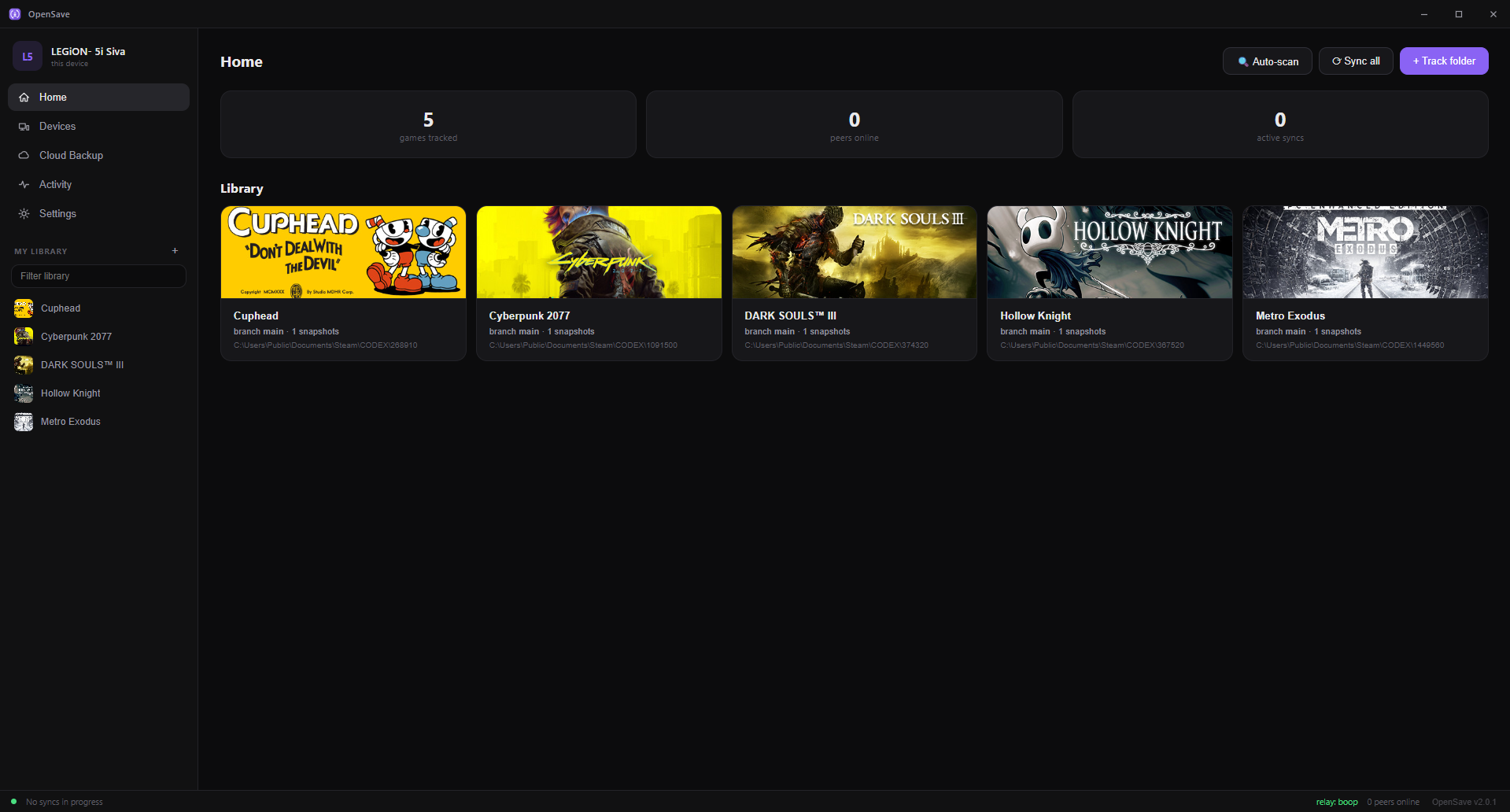
Steam Cloud only covers games bought on Steam — and only when the developer opts in. Everything else is a folder you have to remember to copy.
AppData folders over USB or chat appsThree jobs, in the order you meet them. Click any screenshot to zoom.
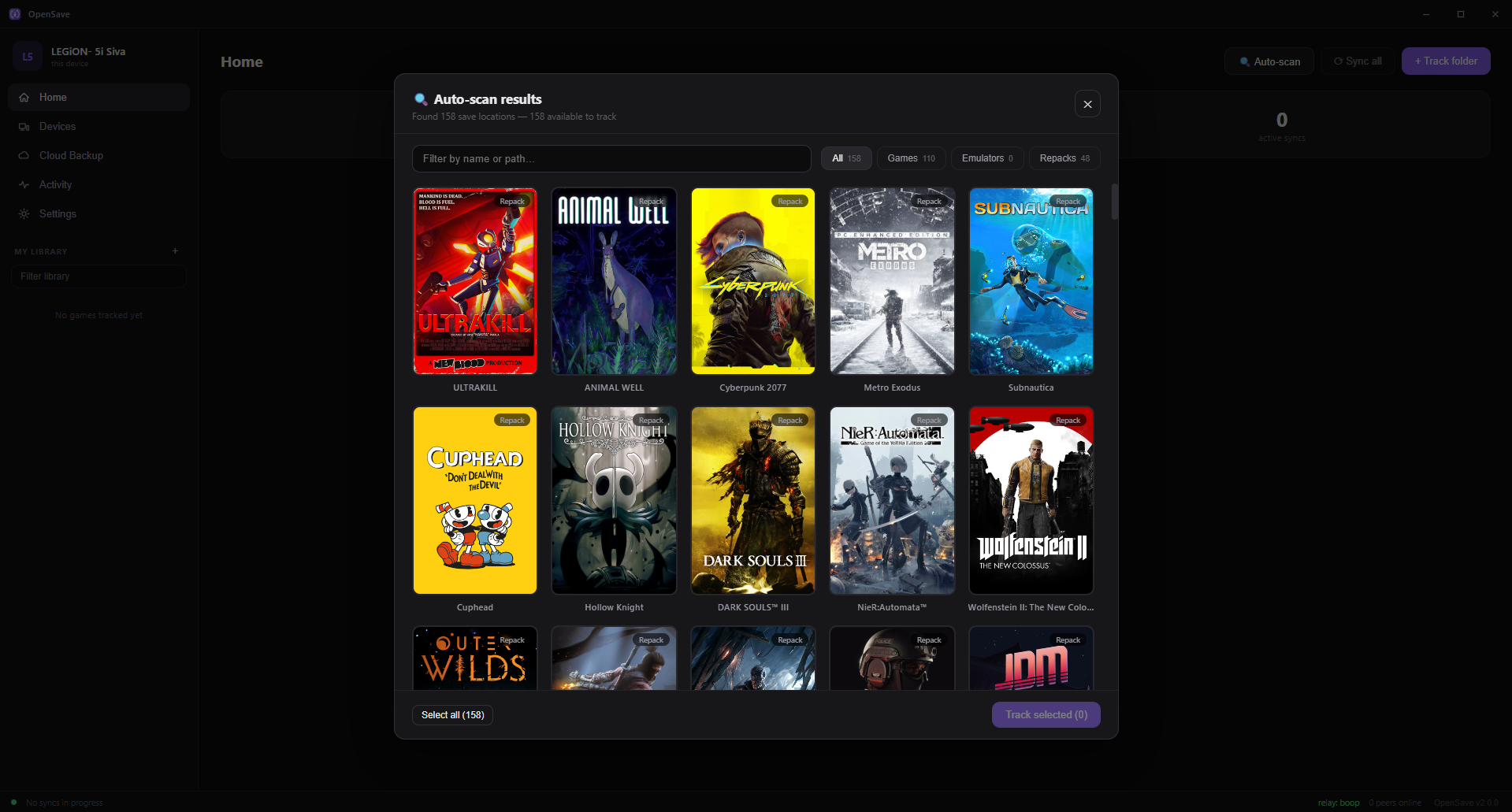
Auto-scan turned up 158 games on a fresh machine here — Steam, repacks, emulators, GOG, Epic — each with real cover art, one click to track.
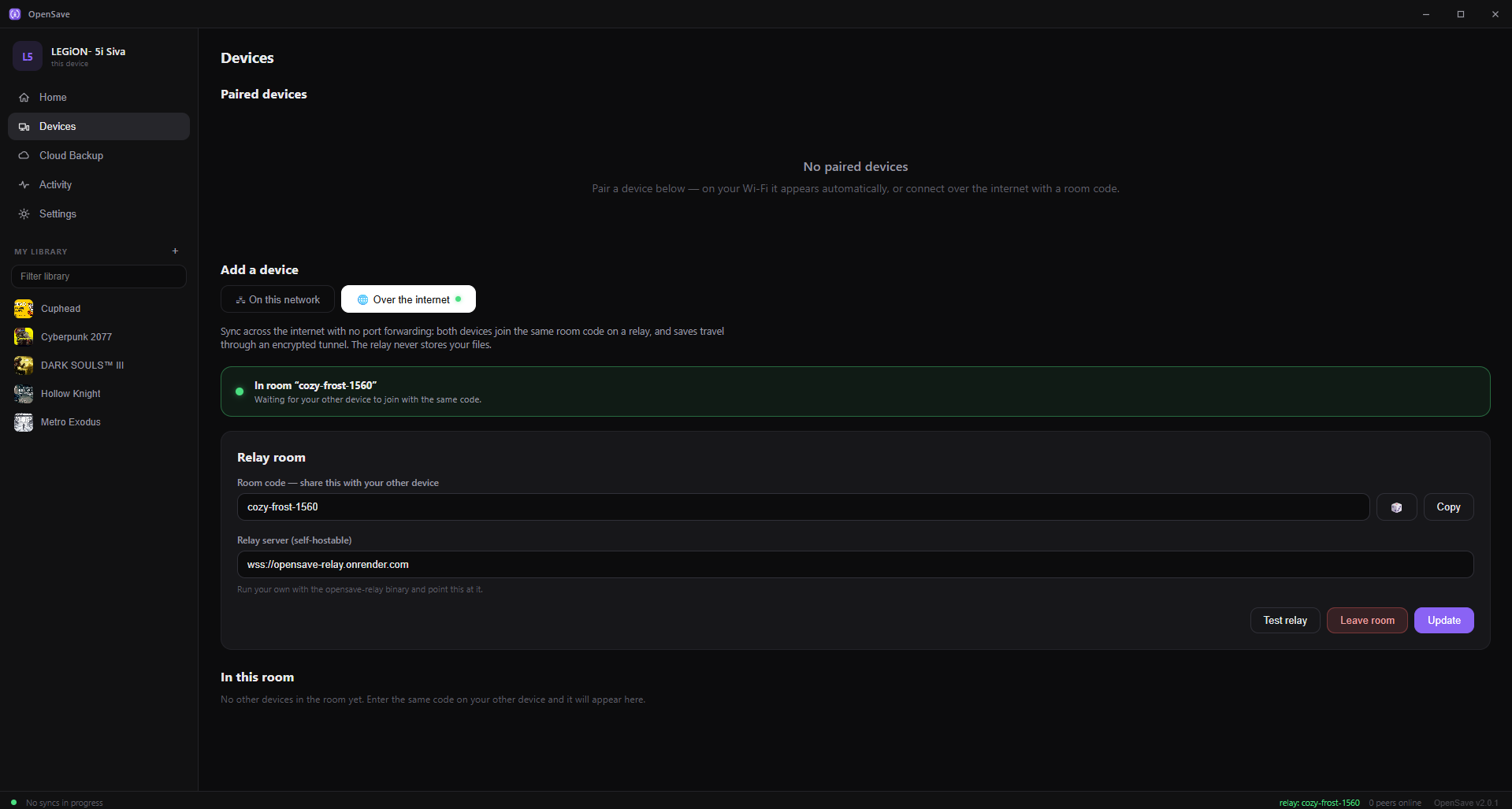
Same Wi-Fi? Devices find each other on their own. Across the internet? Share a room code — no port forwarding, no static IP, no account.
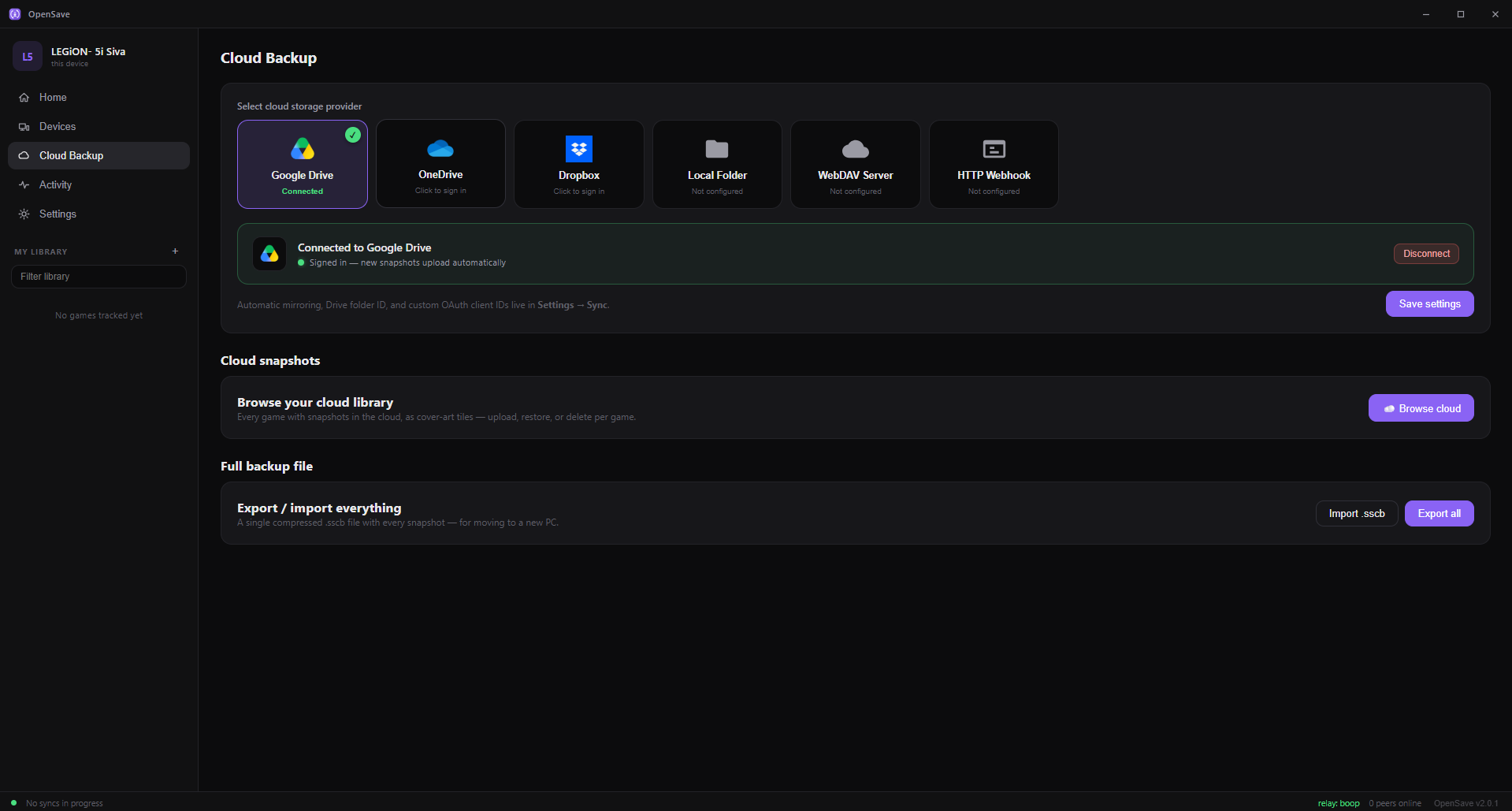
Every change becomes a versioned snapshot. Roll back a whole save or a single file, and keep parallel playthroughs on separate branches.
Ludusavi is an excellent backup tool — OpenSave's auto-scan is built on its community manifest, and it deserves the credit. The difference is live sync.
| Capability | OpenSave | Steam Cloud | Ludusavi |
|---|---|---|---|
| Any store, emulator, or repack | Yes | Steam only, opt-in | Yes |
| Syncs the moment a save changes | Yes | Steam titles only | Manual backup/restore |
| Direct LAN sync, no internet | Yes | No | No |
| Snapshot history & rollback | Yes | Latest state only | Timestamped backups |
| Resolves save conflicts | Compares content, asks you | Picks by timestamp | Not applicable |
| Open source | MIT | No | Yes |
This describes what each project is built for, not every edge case. See the full comparison, including GameSave Manager — corrections welcome via a GitHub issue.
A local-first pipeline that treats your saves like source code: hashed, versioned, and merged with intent.
The relay is a stateless room broker — it forwards WebSocket frames and writes no save to disk. The connection to it is encrypted, but that encryption ends at the relay rather than at your other device, so whoever runs one is in a position to read what passes through. Ours is wss://relay.opensave.org. Don't want to take our word for it? Self-host it with one binary or a Dockerfile.
Prefer a terminal? The headless daemon + opensave-cli runs on servers and Steam Deck alike, and everything the app does is scriptable over a local REST/WebSocket API.
OpenSave is MIT-licensed and developed in the open — a single small native binary in Go with an embedded UI. No Electron, no runtime to install, no account to create.
~/.opensave/ — your data in an open formatTwo guides. One assumes nothing at all; the other assumes you would rather not open a window.
From a fresh install to saves syncing between two machines, explaining every term as it comes up — including what to do when something looks wrong.
Not a cut-down version of the app — the same engine, driven from a terminal. For servers, headless boxes, and a Steam Deck you would rather set up once and never open again.
opensave scanNo. Devices sync directly with each other. The optional relay only matters when syncing across the internet — and you can self-host it with a single binary.
Yes — free and MIT-licensed open source. No pro tier, no subscription, no ads, no telemetry. It exists because game saves shouldn't be hostage to a storefront.
OpenSave records the exact state both devices last agreed on — a shared merge base, like git — and flags a conflict only when both sides changed relative to it. Then it asks what you want: keep yours, keep theirs, or keep both on a new branch. It never silently overwrites a playthrough.
Yes — that's the point. It uses a 20,000+ game save-location index, so RetroArch, Dolphin, Ryujinx, yuzu, Citra, PCSX2, RPCS3, PPSSPP, Cemu, GOG, Epic, itch, and Goldberg-style repacks are auto-detected. Anything else can be tracked by pointing at its folder or file.
Yes. There's an official Flatpak that runs on stock SteamOS in Desktop Mode. It automatically finds saves inside Proton prefixes (where most Deck games store them) along with native Linux and emulator saves.
WAN sync travels over an encrypted connection to a stateless relay that stores nothing. That encryption ends at the relay rather than at your other device, so the relay could read what it forwards — saves are not sealed end-to-end yet. Ours runs on our own hardware at wss://relay.opensave.org, and you can replace it with your own in one command. On LAN, devices talk directly and no relay is involved. Saves are only ever persisted on your devices (and, if you enable it, your own cloud storage).
Yes. The headless daemon + opensave-cli covers scan, add, status, snapshot, rollback, branch, and checkout — ideal for servers, NAS boxes, and scripts. Everything is also drivable over a local REST/WebSocket API.
Windows, Linux, and Steam Deck. One small binary — install in seconds.
Runs in the tray, updates itself, and can start with Windows. Not sure? The installer's the easy choice.
OpenSave.Setup.exe · OpenSave.exeSingle tarball or an official Flatpak. Extract and run — no dependencies, no sandbox headaches.
Download for Linux opensave-linux-amd64.tar.gz · FlatpakInstall the Flatpak in Desktop Mode — it runs on stock SteamOS and finds your Proton saves automatically. Not the Linux tarball: SteamOS ships no WebKitGTK, so that build won't start on a stock Deck.
Get the Flatpak runs on stock SteamOS
Windows: in-app update failed with “Access is denied”?
On some machines the updater can’t write to its own folder under
C:\Program Files, and stops rather than risk a half-applied update — nothing is
changed and your saves aren’t touched. Download the Installer above and run it
once; it asks for permission itself and updates in place. You only need to do this the once.
Upgrading from OpenSave 1.x? Your tracked games, snapshots, pairings, and settings migrate automatically on first launch — and 1.x and 2.x devices can pair and sync with each other during the transition.
